Bhoor Duck Foot (Tota) Plough | 5 Tyne, 6 Tyne, 7 Tyne, 9 Tyne
.png)
Duck Foot Plough
Features-
1: Specially Design for hard and dry soil
2: Increase crop production up to 8 %
3: It is designed to withstand toughest work conditions of hard black soils.
4: The FORGEtines get their strength because of a peculiar design in which the stress prone points are shaped to resist any distorting strains.
5: Main frame is made out of heavy duty L ANGLE section.
6: The lift is made of fancy plate cutting model.
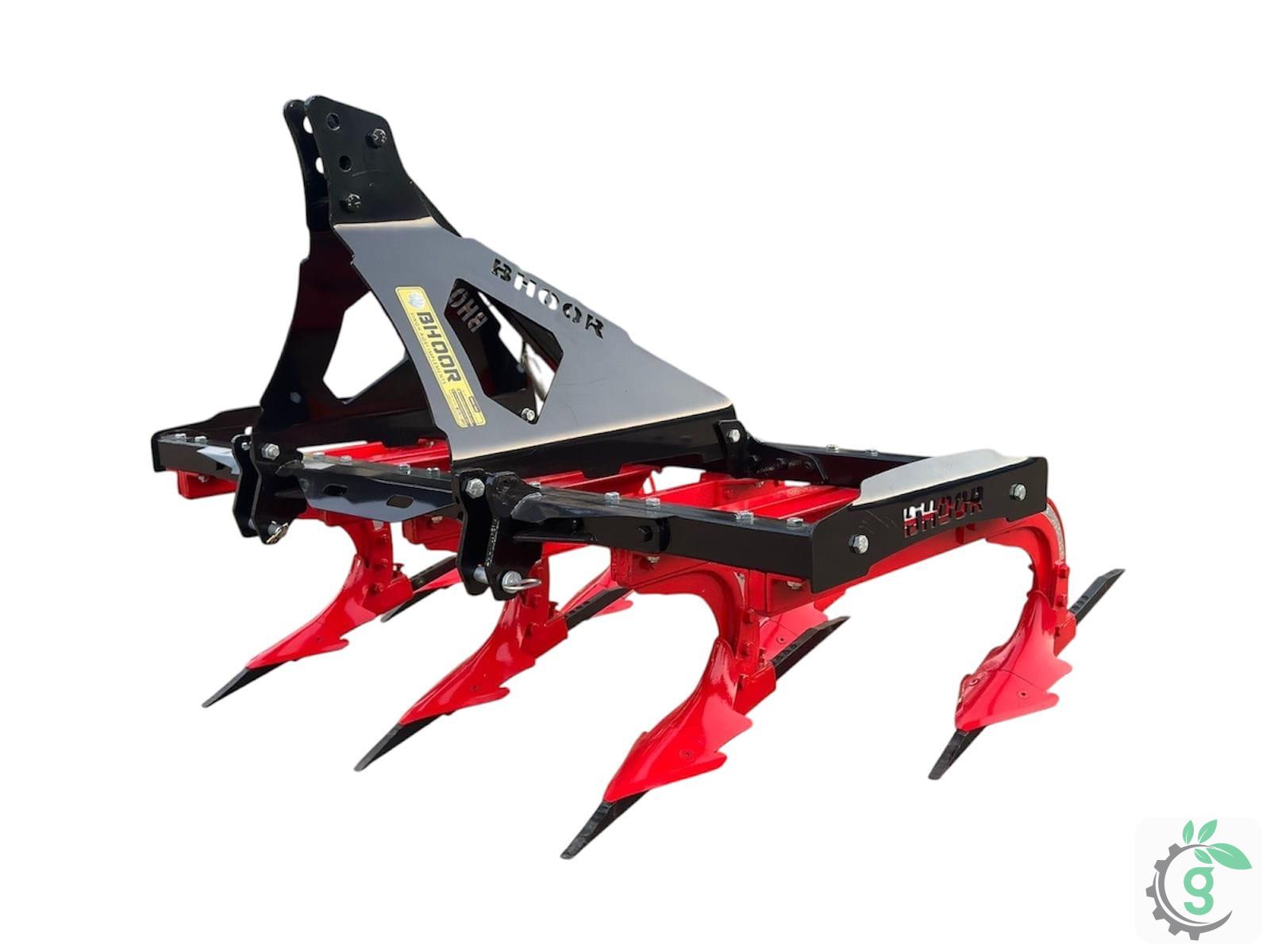
Duck Foot Plough 5 Tyne
Features-
1: 265 Kg Weight
2: Tractor Operated: 35 hp
3: Pitch Tyne: 11.25 Inch
4: Tyne Size: 65X25MM,(75X32MM OPTIONAL)
5: Width: 27 inch
1: 265 Kg Weight
2: Tractor Operated: 35 hp
3: Pitch Tyne: 11.25 Inch
4: Tyne Size: 65X25MM,(75X32MM OPTIONAL)
5: Width: 27 inch
Duck Foot Plough 6 Tyne
Features-
1: 265 Kg Weight
2: Tractor Operated: 35 hp
3: Pitch Tyne: 11.25 Inch
4: Tyne Size: 65X25MM,(75X32MM OPTIONAL)
5: Width: 27 inch
1: 265 Kg Weight
2: Tractor Operated: 35 hp
3: Pitch Tyne: 11.25 Inch
4: Tyne Size: 65X25MM,(75X32MM OPTIONAL)
5: Width: 27 inch
Duck Foot Plough 7 Tyne
Features-
1: 360 Kg Weight
2: Tractor Operated: 50 hp
3: Pitch Tyne: 11.25 Inch
4: Tyne Size: 65X25MM,(75X32MM OPTIONAL)
5: Width: 27 inch
1: 360 Kg Weight
2: Tractor Operated: 50 hp
3: Pitch Tyne: 11.25 Inch
4: Tyne Size: 65X25MM,(75X32MM OPTIONAL)
5: Width: 27 inch
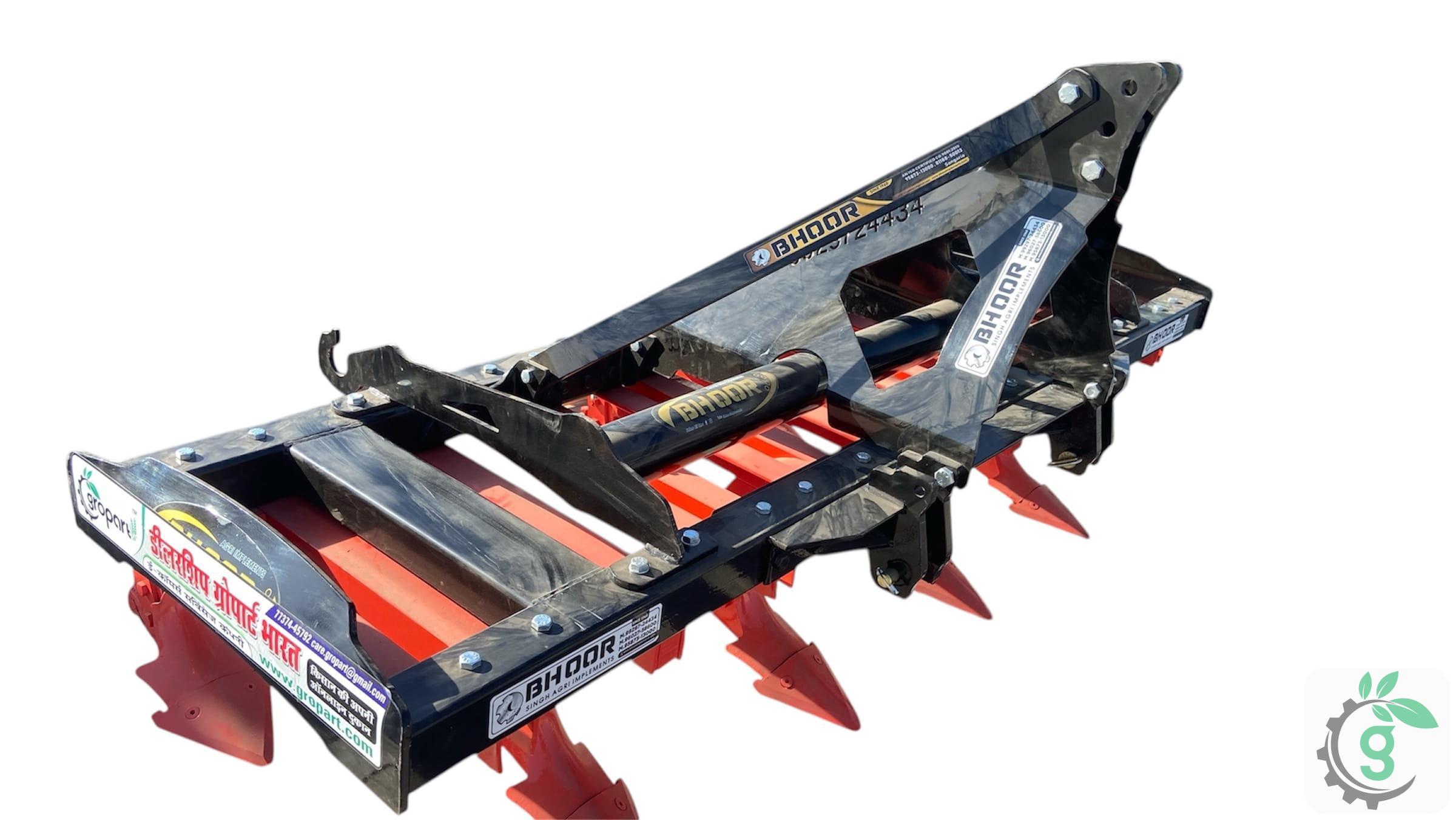
Duck Foot Plough 9 Tyne
Features-
1: 445 Kg Weight
2: Tractor Operated: 60 hp
3: Pitch Tyne: 11.25 Inch
4: Tyne Size: 65X25MM,(75X32MM OPTIONAL)
5: Width: 27 inch
1: 445 Kg Weight
2: Tractor Operated: 60 hp
3: Pitch Tyne: 11.25 Inch
4: Tyne Size: 65X25MM,(75X32MM OPTIONAL)
5: Width: 27 inch
Eligibility
- Own agricultural land in his/her own name.
- In case of an undivided family, the applicant's name must be in the revenue record.
- For tractor-operated agricultural implements, the tractor must be registered in the applicant's name.
- Must not have received a grant for the same type of agricultural implement in the last three years.
- Must not have received a grant for more than 3 different types of agricultural implements in a financial year.
Application Process
- Online Registration (SSO)
- Step-1: Applicant has to visit the official portal.
- Step-2: Click on the option “Register”.
- Step-3: You will be redirected to the SSO registration page. The registration page will appear with the following options: Citizen.
- Step-4: Choose either the Jan Aadhaar or Google option to proceed further.
- Jan Aadhaar:
- Enter the Jan Aadhaar number, click on the 'Next' button.
- Select your name, the name of the head of the family, and all other members.
- Click on the 'Send OTP' button. Enter the 'OTP' and click on the 'Verify OTP' button to complete the registration.
- Google:
- Enter the Gmail ID, click on the 'Next' button.
- Enter the password.
- A new link will appear on the screen, now click on the new SSO link.
- The SSO ID will appear on the screen, now create the password.
- Enter your mobile number, then click on 'Registration'.
- Jan Aadhaar:
- Step-5: Complete the registration process.
- Apply Portal (RAJ-KISAN)
- Step-1: Applicant has to visit the official portal.
- Step-2: After login, the dashboard will open.
- Step-3: Click on the “RAJ-KISAN” option.
- Step-4: In "Citizen", click on "Application Entry Request".
- Step-5: Enter the "Bhamashah Family ID" or "Jan Aadhaar" and search.
- Step-6: Select the person name and scheme name.
- Step-7: Complete the Aadhaar Authentication and click on "Get Details".
- Step-8: Provide the required details:
- Pensioner Details.
- Bank Details.
- Disability Details.
- Verification Details.
- Upload Documents.
- Step-9: Submit.
Documents Required
- Aadhaar Card / Jan Aadhaar Card
- Caste certificate
- Copy of tractor registration certificate (R.C.) (mandatory for tractor-driven equipment)